Skip to main content
SMU Quick Links
SMU Home Page
Self-Service Banner
Brightspace
Microsoft 365
(email, calendar, etc.)
Library
Academic Calendar
SMUPhone
(Requires SMU network access)
Technology Support (Ask the Husky)
SMU Safe App
About Saint Mary's
Future Students
Explore Future Students
PROGRAMS
Faculty of Arts Programs
Faculty of Science Programs
Sobey School of Business Programs
Environmental and Sustainability Programs
Engineering Program
Graduate Programs
Business Graduate Programs
Executive and Professional Development
HIGHLIGHTS
Apply Now
Admissions
Money Matters
Scholarships and Awards
International Students
Events and Tours
Future Students
Student Life
Explore Student Life
SUPPORTS
Student Success Centre
International Student Centre Hub
Career & Experiential Learning
Student Health Clinic
Fred Smithers Centre for Student Accessibility
Counselling Centre
POPULAR
Residences & Housing
Meal Plans & Food Options
Parking
Athletics & Recreation (Homburg Centre)
Bookstore
Campus Security
Student Life
Academics
Explore Academics
FACULTIES
Browse all programs
Faculty of Arts
Faculty of Science
Sobey School of Business
Graduate Studies & Research
Division of Engineering
REGISTRATION
Apply to Saint Mary's
Register for Courses
Scholarship Info
Registration Dates
RESOURCES
Program Info for Future Students
Academic Calendar
Library
Academic Advising
Centre for Excellence in
Teaching and Learning
Bookstore
Degree/Credential Verification
Academics
Research
Explore Research
About Research at SMU
Research News
Centres & Institutes
Student Research Opportunities
Human Research Ethics Board
Research
Alumni + Giving
ALUMNI
Alumni Events
SMU Café
Update Your Contact Info
Alumni
GIVING
Make a Donation
Impact of Giving
Giving
Quick Links
Self-Service Banner
Brightspace
Microsoft 365
(email, calendar, etc.)
Library
Academic Calendar
SMUPhone
Technology Support (Ask the Husky)
SMU Safe App
About Saint Mary's
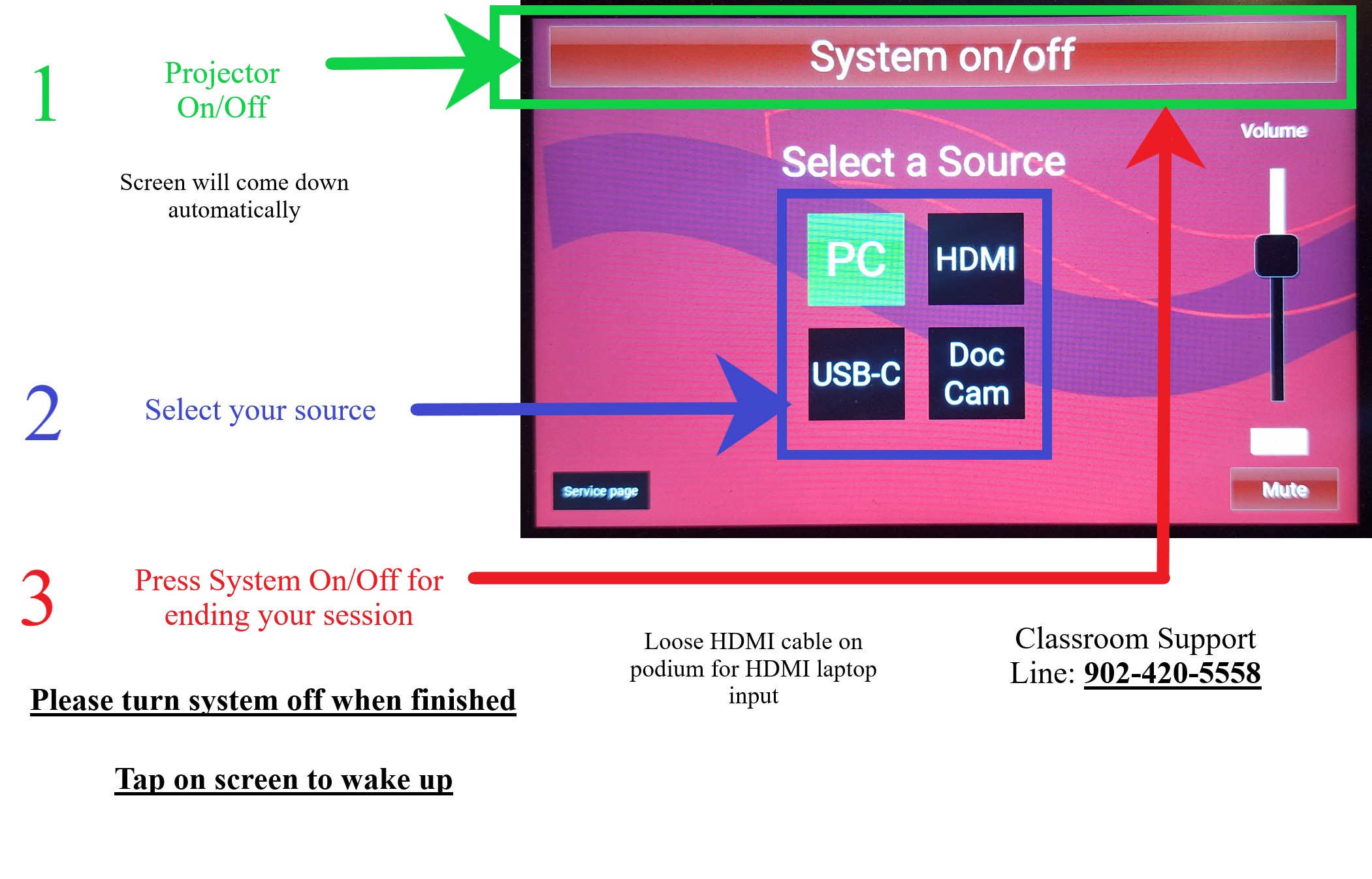
McNally Main Theatre Touch Panel
Page Feedback
Go to top